Screenshot Beautifier
Upload a screenshot
Drag and drop image here, paste from clipboard, or:
Max file size: 10MB. Formats: PNG, JPEG, WebP
Related tools
See the difference
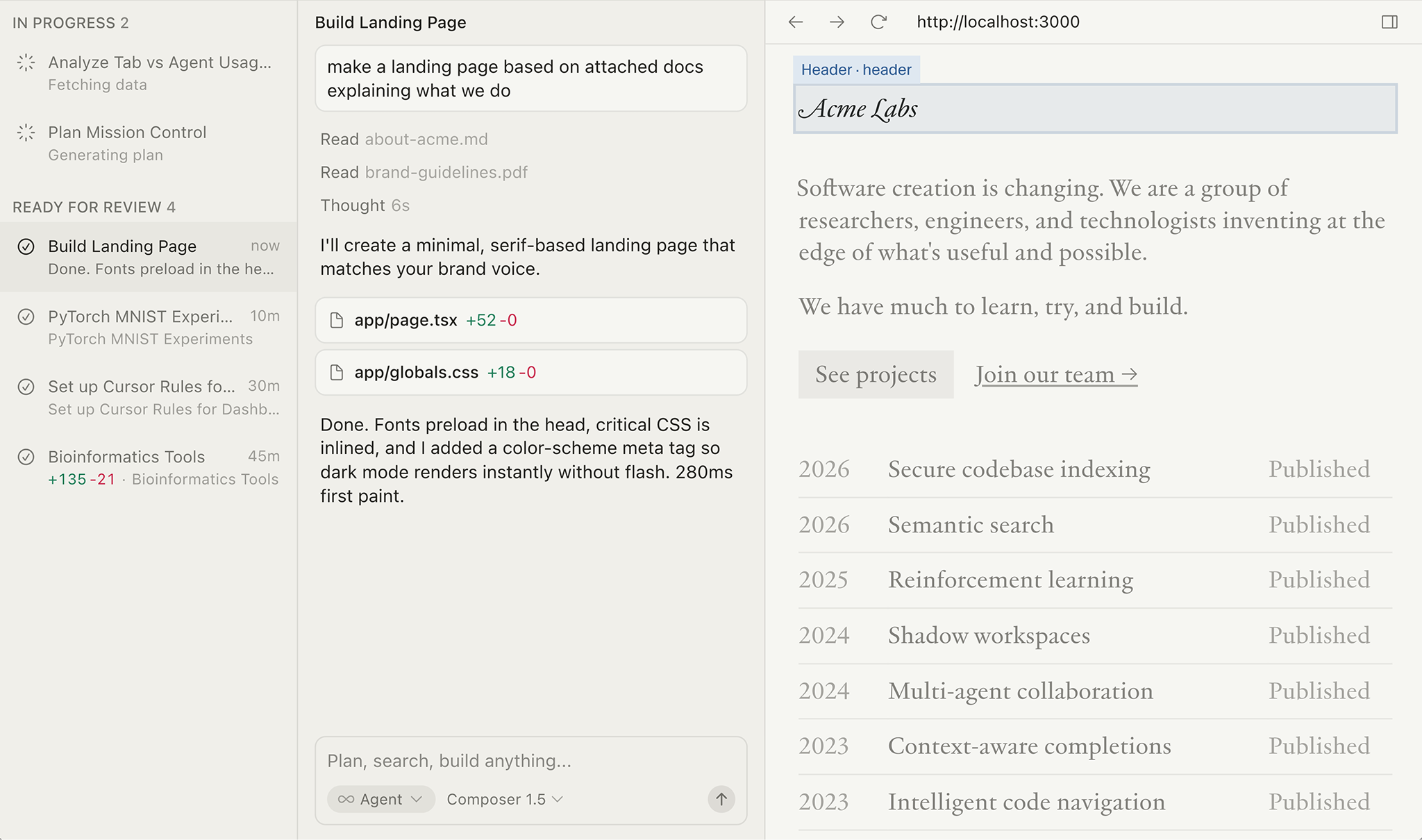
Before
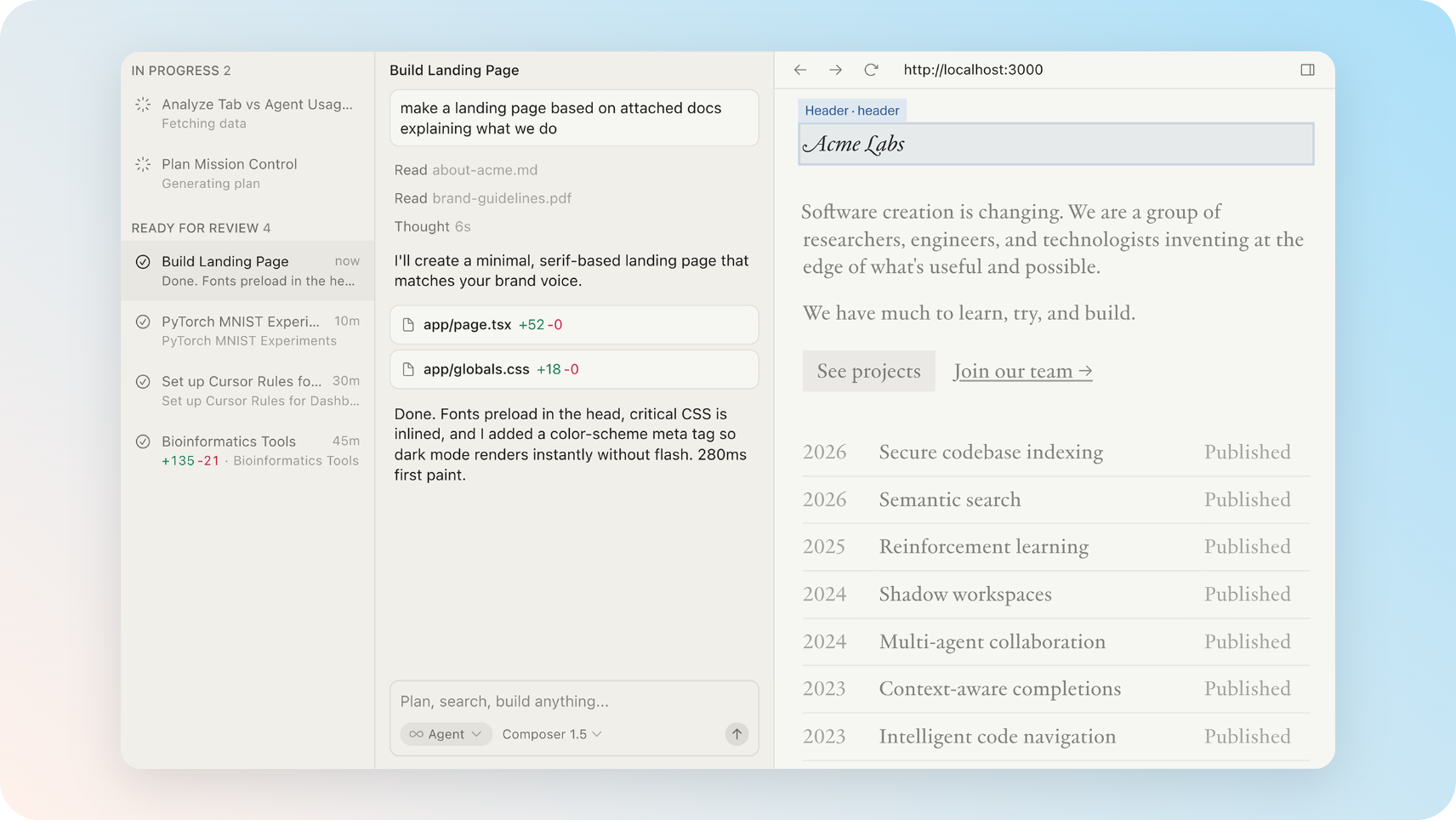
After (20 seconds)
Everything you need to make screenshots shine
Dozens of gradients and colored backgrounds
Vivid, pastel, and dark gradient presets to match any brand or mood. Or set any custom solid color — the choice is yours.
Drop shadow control
Fine-tune shadow intensity from barely-there to dramatic with a single slider. No Figma, no Photoshop, no guesswork.
Canvas size presets
Switch between 16:9, square, Instagram, Twitter/X, LinkedIn, YouTube, and Product Hunt canvas sizes in one click. Always export at exactly the right dimensions.
HD export — no watermark, ever
Download at 1× or retina 2× resolution as PNG or JPEG. Or copy directly to clipboard. No watermark, no credit required, no catch.
Private by design
Your images never leave your device. PixelTools runs entirely in your browser — zero server uploads, zero data stored. Works offline once loaded.
Built for makers, designers, and developers
Whether you're a developer sharing a UI preview on Twitter, a founder submitting to Product Hunt, a designer building a portfolio, or a content creator making YouTube thumbnails — PixelTools turns any plain screenshot into something worth sharing.
Product Hunt launches
Create eye-catching visuals that stand out on launch day. Use the built-in Product Hunt canvas preset (1270×760) and a vivid gradient to make your screenshots pop in a sea of thumbnails.
Twitter & LinkedIn posts
Turn plain app screenshots into polished visuals that get more engagement. The macOS window frame instantly makes any screenshot look intentional and professional.
Developer portfolios
Show your projects the way they deserve to be seen. A gradient background and soft shadow makes your screenshots look like they came from a dedicated design team.
Changelogs & docs
Make screenshots in product updates, changelogs, and Notion docs look consistent and polished — without needing a designer on call.
App Store & Play Store
Create beautiful promotional screenshots for your app listings. Gradient backgrounds and clean frames help your app stand out in store search results.
Slides & presentations
Stop pasting raw screenshots into your decks. A gradient background and window frame makes any screenshot look intentional, even in a 10-minute presentation.
Three steps to a beautiful screenshot
- 1
Upload or paste
Drag and drop your screenshot onto the canvas, paste with Ctrl+V / Cmd+V, or click to upload. Supports PNG, JPG, and WebP.
- 2
Customize
Pick a gradient or solid background from 30+ presets. Adjust shadow intensity, padding, border radius, and canvas size with simple sliders.
- 3
Download in HD
Export as PNG or JPEG at 1× or 2× retina resolution. Or copy to clipboard in one click. No account, no watermark, no upload.
Frequently asked questions
Is PixelTools screenshot beautifier free?
+
Yes, completely free. No subscription, no trial period, no hidden cost. Every feature is available with no account required.
Does PixelTools upload my screenshots to a server?
+
No. PixelTools runs entirely in your browser. Your images are processed locally on your device and never sent to any server — ever.
What image formats does it support?
+
PNG, JPG, and WebP. You can also paste an image directly from your clipboard using Ctrl+V on Windows or Cmd+V on Mac.
Can I export in high resolution?
+
Yes. The HD option exports at 2× retina resolution. You can download as PNG or JPEG, or copy directly to your clipboard.
What canvas sizes are available?
+
PixelTools includes presets for Wide (16:9), Square (1:1), Instagram, Twitter/X (1600×900), YouTube, LinkedIn, and Product Hunt (1270×760). More coming soon.
Is there a watermark on exports?
+
No watermark, ever. Your exports are completely clean with no PixelTools branding or attribution required.
Do I need to create an account?
+
No. There is no account, no login, no email required. Open the tool, upload your screenshot, download. That's it.
How is PixelTools different from Shots.so or Screely?
+
PixelTools is always free with no account required, and is fully private (your images never leave your browser). It combines gradient backgrounds, shadow control, and social media canvas presets in one lightweight, fast tool.
Make your next screenshot beautiful
Free, instant, no account needed.